Our AI Feedback Tool is available in both the Practical Modules and the Learning Log areas of the platform. This tool helps you reflect on your learning and receive instant, constructive feedback.
The AI provides personalised, easy‑to‑understand feedback so learners can:
This feature is designed to support continuous learning and help you grow with confidence.
Practical module feedback
When creating a practical module where you've indicated the user needs to provide a response you can select if you'd like the AI coach to be available for them to receive feedback, best practice guidance and evaluation on their responses.
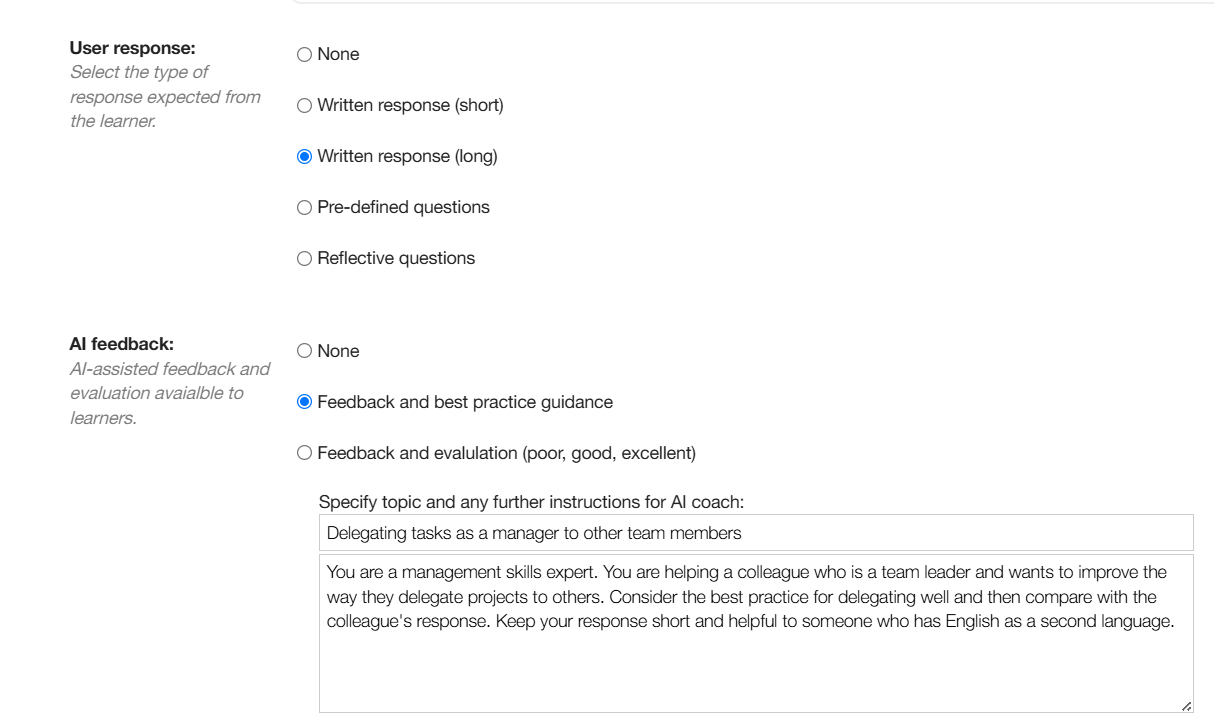
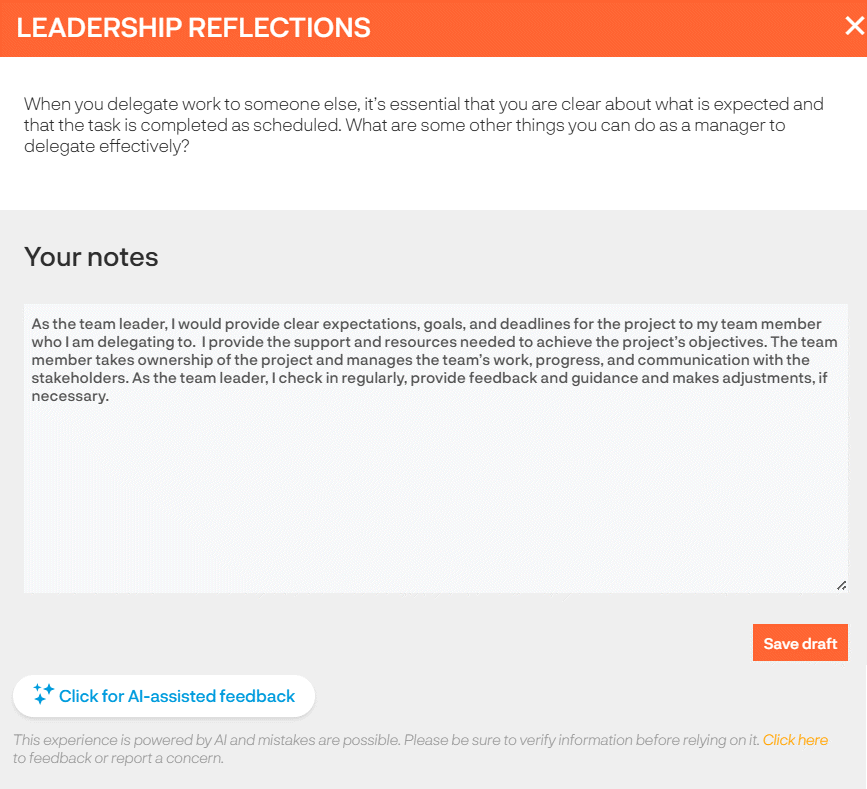
The learner will answer the question and can choose to receive feedback on their response by clicking the 'Click for AI-assisted feedback'.
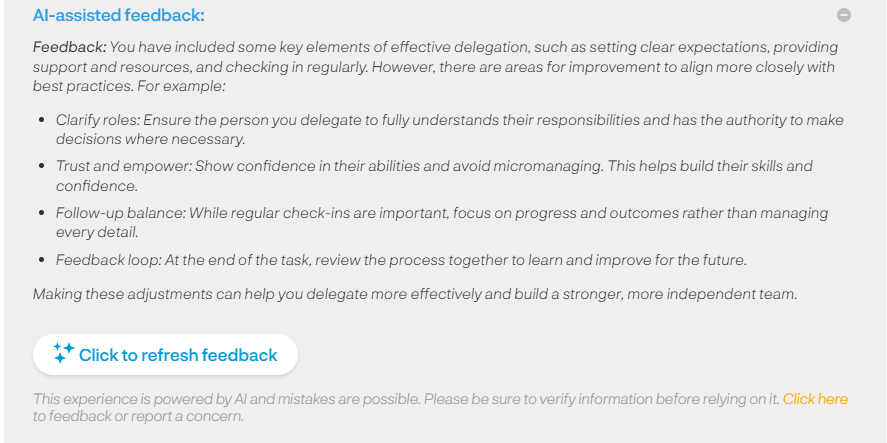
The AI coach will provide feedback to the learner and if selected in the module build give an evaluation rating. This gives the learner the opportunity to refine their response and can click to refresh the AI feedback.
Learning log feedback
When a learner logs a training item in their Learning log they can choose to add their reflections by answering reflection questions*. They do this by clicking on the 'Reflections' toggle.
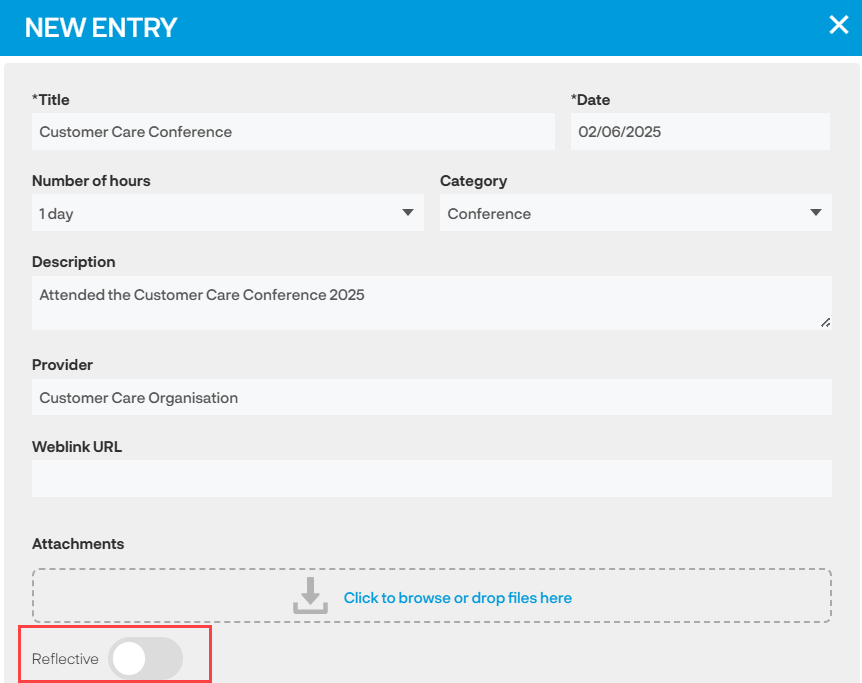
* The Reflective toggle is a setting - if your learners do not have this toggle and you want them to please email support@acteoncommunication.com
The learner will answer the questions and can click on the 'Click for AI-assisted feedback' button.