Depending on your organisations requirements you may have access to Reflective questions so you can attach reflections to the learning you have completed.
Adding reflections to manual learning log entries
When adding learning to your learning log that you've completed outside of the platform, you will have access to Reflection questions.
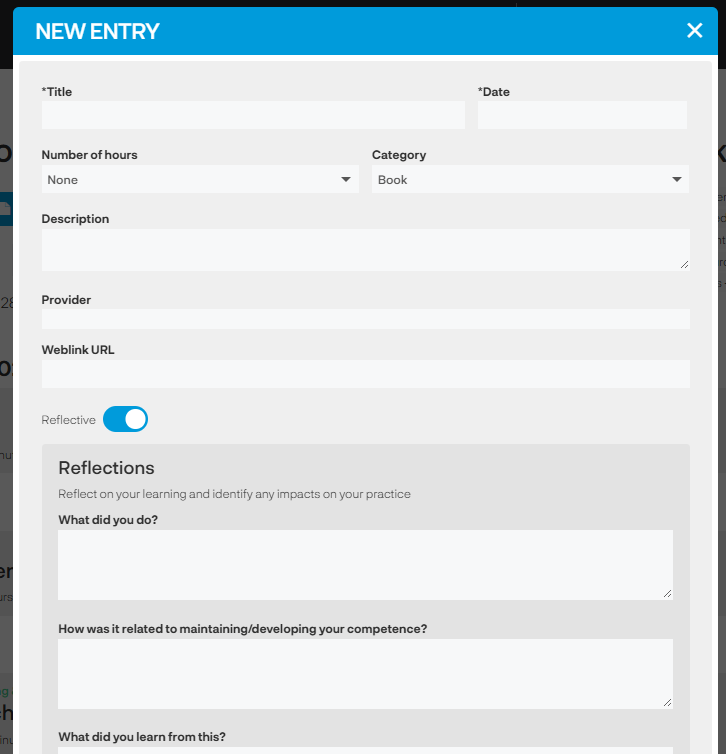
Answer the questions and if your organisation has the AI feedback feature enabled you will also be able to click on the 'Click for AI-assisted feedback' button for immediate guidance on how you have answered the questions and suggestions on how to improve. You can then amend your answers if you want to ensuring you are reflecting on your learning in the best way possible.

Adding reflections to completed courses
In the Learning Log area you can add reflections to a course completion by clicking on the 'pencil' icon - if you have already added your reflections the pencil icon will be grey, if you haven't already added reflections the pencil will be coloured.
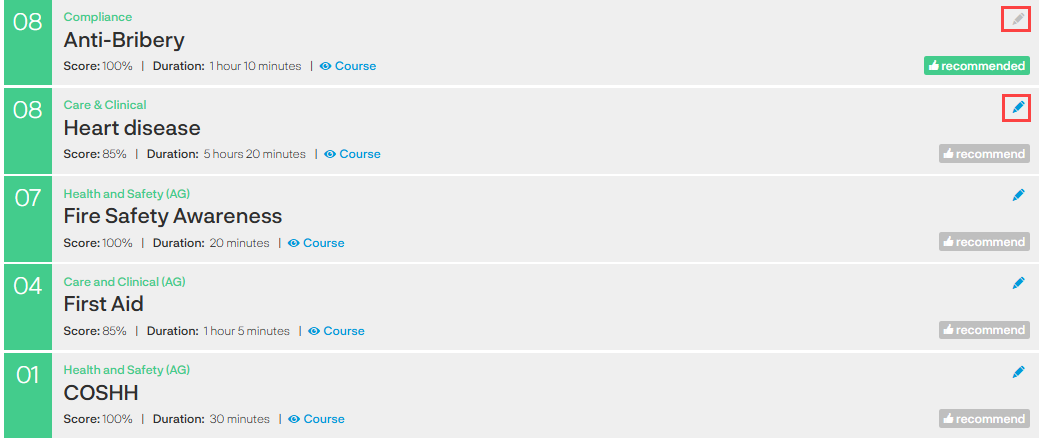
When you click on the 'Pencil' icon you will open the questions to answer and the AI feedback tool is available (if your organisation has requested it to be available). When you're happy with your reflections click 'Save'.
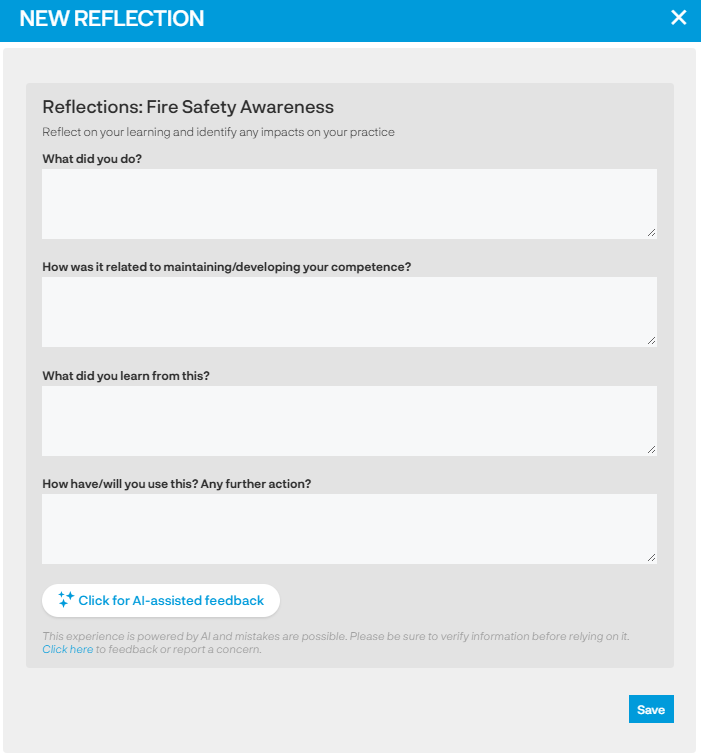
You can come back to your reflections at anytime and add additional reflections.
See also...