This report will help you to identify when there will be highs and lows in training activity throughout the year.
The report is looking at open course assignments and renewals. Once a completion is recorded it will drop off the report and new assignments will be added in e.g. when a new starter joins and is assigned courses.
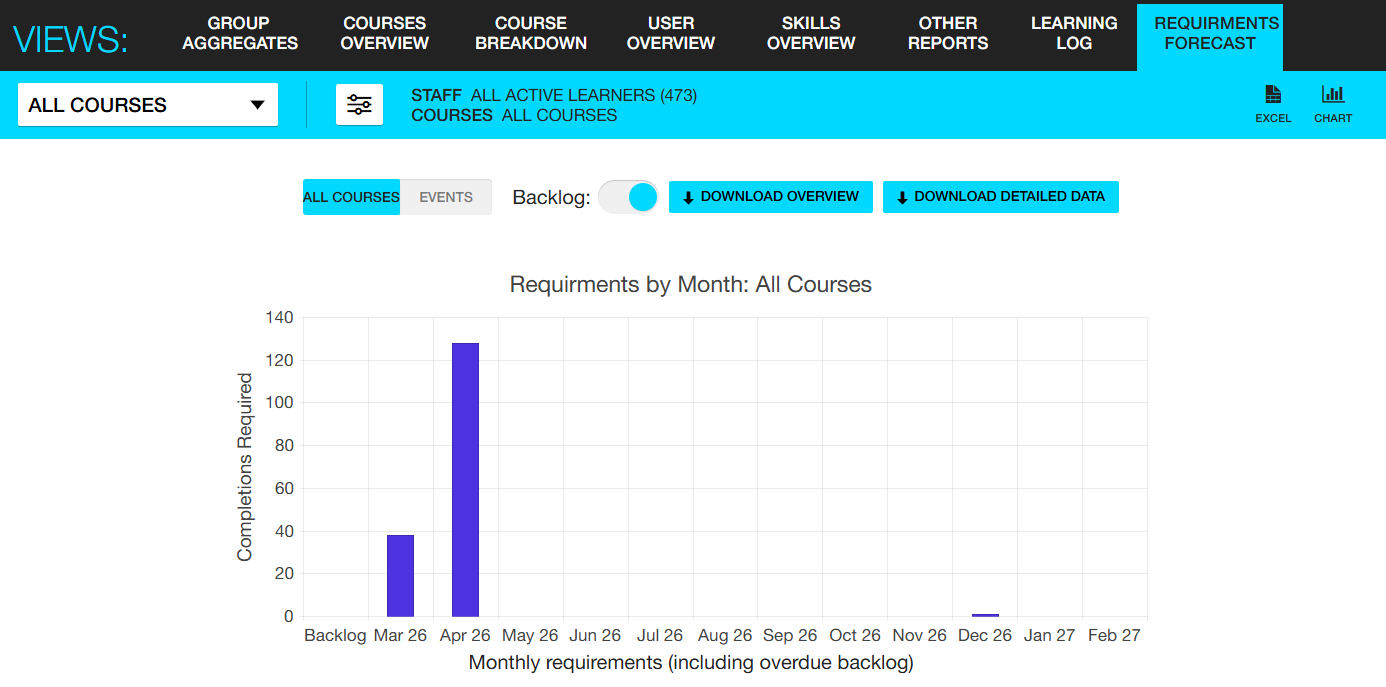
By default the report will display 'All courses' but you can change the view to 'Events' this will provide the data to display only courses that contain an Instructor-led module. This will help you to plan when you need to schedule events in your training calendar and the number of seats to make available. It will update when learners have booked a seat onto an event so you will be viewing real time data on the capacity needed.
You can choose to bring in the backlog - this will bring in a column at the front of the chart of learners who are overdue of their learning.
You can use the filters to look at the chart on screen by specific courses or group categories. Alternatively you can download the data into Excel:
Download overview data
This download will list the courses that contain an Instructor-led module and the number of seats required for each one per month.
Download detailed data
This download will list by learner indicating the course and module title and the target/renewal date.