Our comprehensive e-learning content marketplace is designed to give you access to high-quality compliance and professional development courses from a wide range of trusted publishers.
We offer two payment models for our Marketplace:
Licensed
With this model you will purchase a fixed number of licences to a course or bundle of courses and works best for your compliance courses. The licensed module usually provides a discount on the prices show. Speak to your Breeio Account Manager at support@acteoncommunication.com for a quote.
Pay-as-you-go (PAYG)
With this model you will be charged the shown price when a learner launches the module. This model works well if you want to make courses available to your learners as self-directed and developmental learning and is cost effective as you will only pay when it's used.
Making courses available with the PAYG model
Go to the Content area, click on the Modules tab and select Content Marketplace.
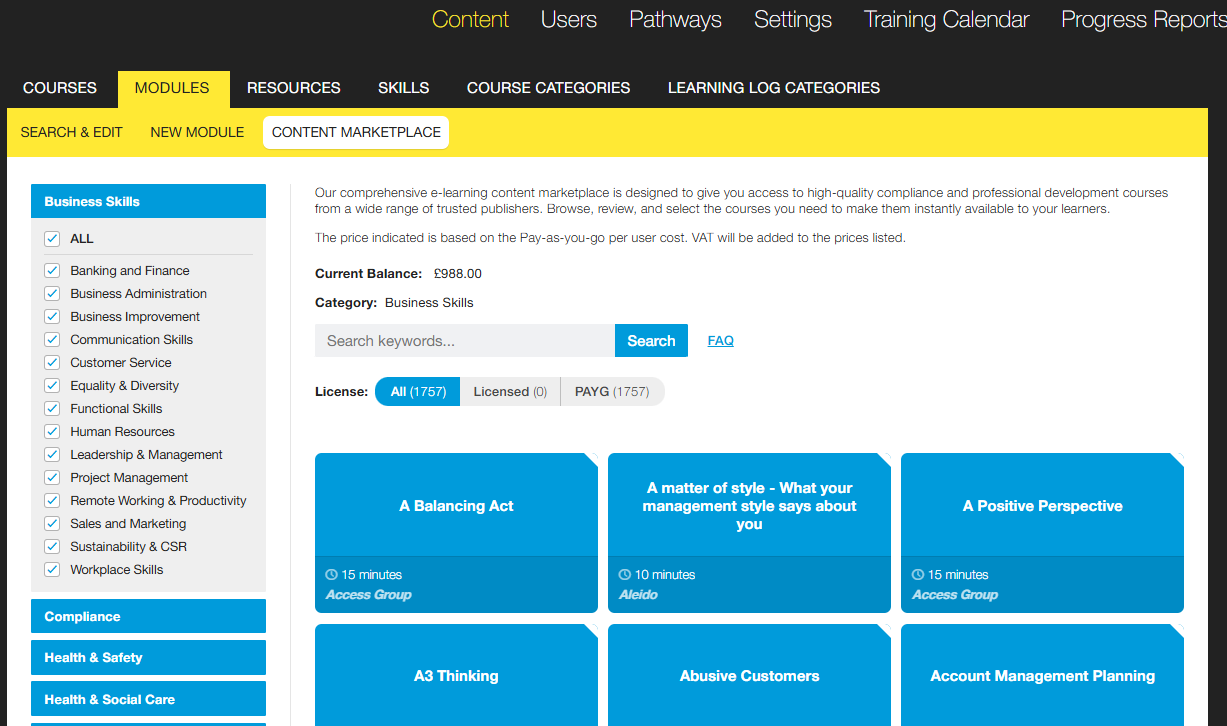
From this page you can browse all content, use the category panel on the left to filter your search to a topic area. Use the keyword search to filter to relevant course titles.
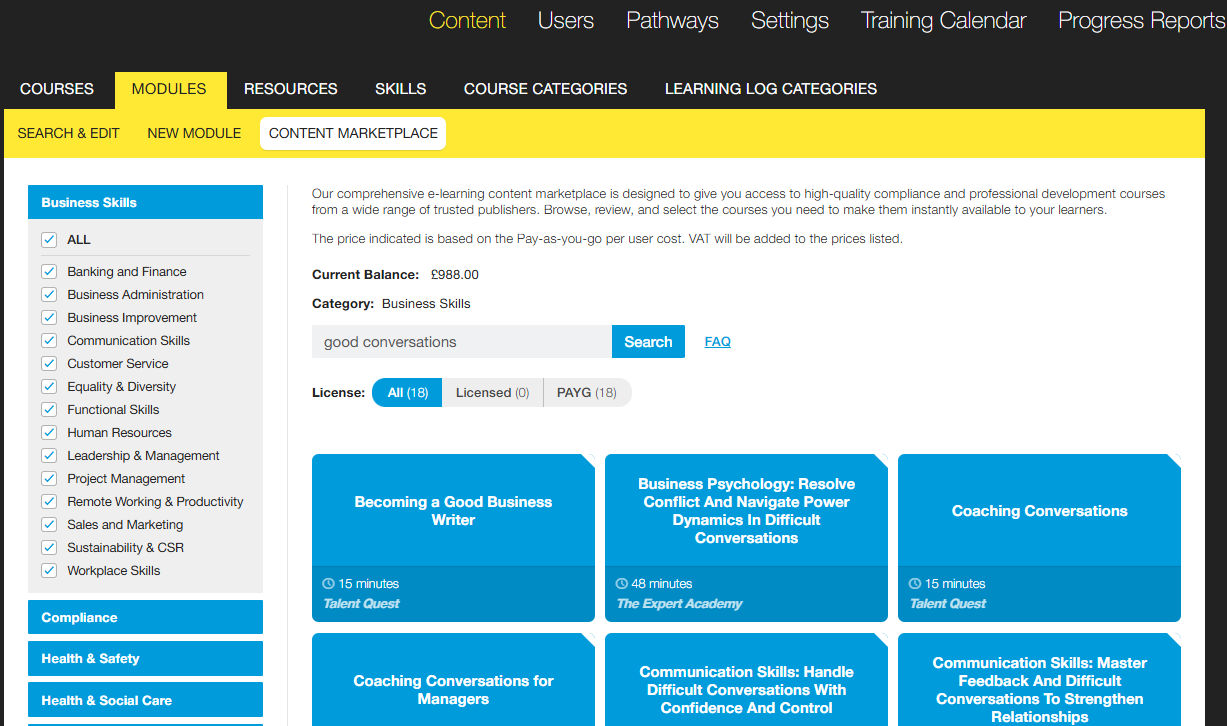
Click on a course tile to learn more and even preview the course. If the course meets your needs you have two options:
Our AI tool will bring over the Course overview and the Learning Objectives.
You can assign the course and make it live like you would with other Breeio courses. Learners will not be able to access the e-learning module until there is a credit balance on your account.
How do the finance work?
You are able to browse, create a course, assign it and even make it live without being charged. When a learner launches a pay-as-you-go module the amount will be debited from your credit balance. If you don't have credit on your account the learner is prevented from launching the module.
Contact your Breeio Account Manager on support@acteoncommunication.com if you would like to add credit onto your account. A couple of things to think about:
Our Breeio team will add the credit as per your requirements to your account and learners can immediately start to complete courses.
A pro-forma invoice will be issued for the credit amount with a 14 days payment term.
Each quarter the Breeio team will organise for a VAT invoice (for your records) to be sent for the amount of spend on your account for the previous quarter.
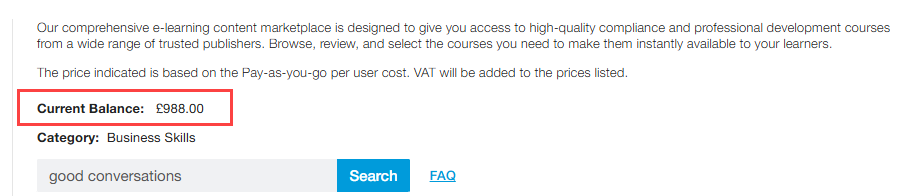
You can see your current credit balance on the Content Marketplace page:
There is also a useful 'Pay-as-you-go Transactions' report that provides the credit balance and an itemised list of transactions.
How long does a Learner have access to the course?
A Learner has access to the course for six-months after they first launch the course.During this time the course can be re-set, and they can return to a completed course without incurring a second charge. If a course is not completed within six months and the learner still wants to complete it they will need to add the course again and a second charge will be applied.
See also...