When creating an instructor-led module you will select how you want the bookings to work, in most cases it’s likely you will allow learners to browse event dates and book themselves onto the event. If needed, you can also select for the booking to go through either Manager and/or Central Admin approval.
Sometimes it might be necessary to limit the booking onto events to Group Managers and/or Admin or it might be necessary to book a delegate onto the event even if you have made the event available to learners to book themselves.
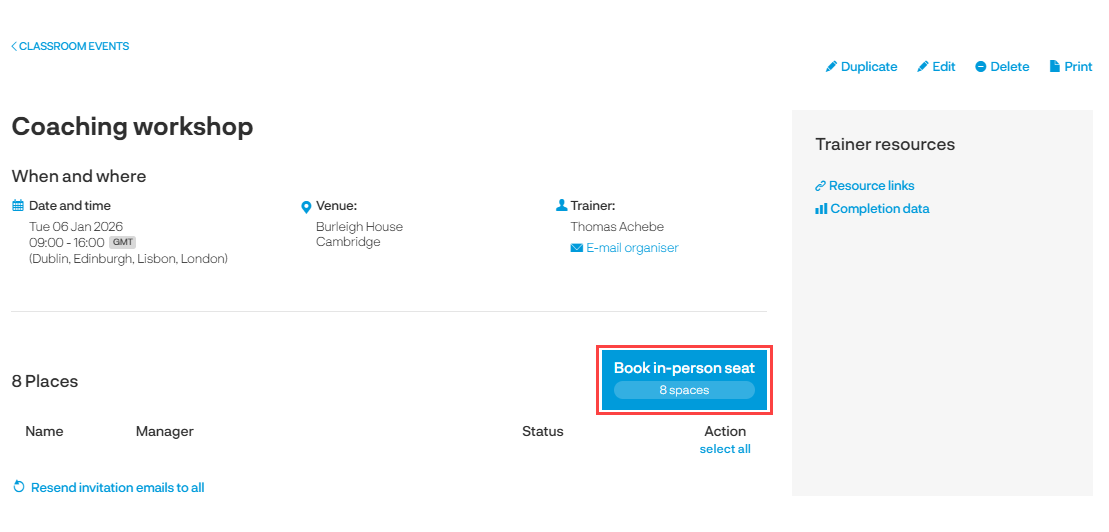
To add delegates, go to the event and click on the Add delegate button.
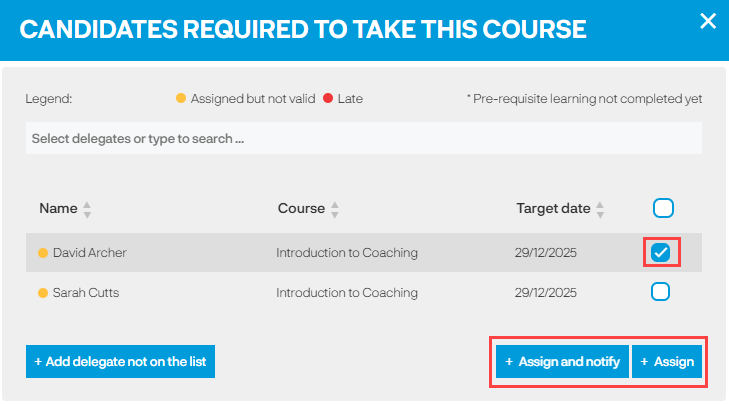
The list of delegates are learners who have an open assignment to the course, click in the tick box next to the delegate(s) you want to add onto the event. You can choose to Assign the delegate(s) to the event or to Assign and notify them.
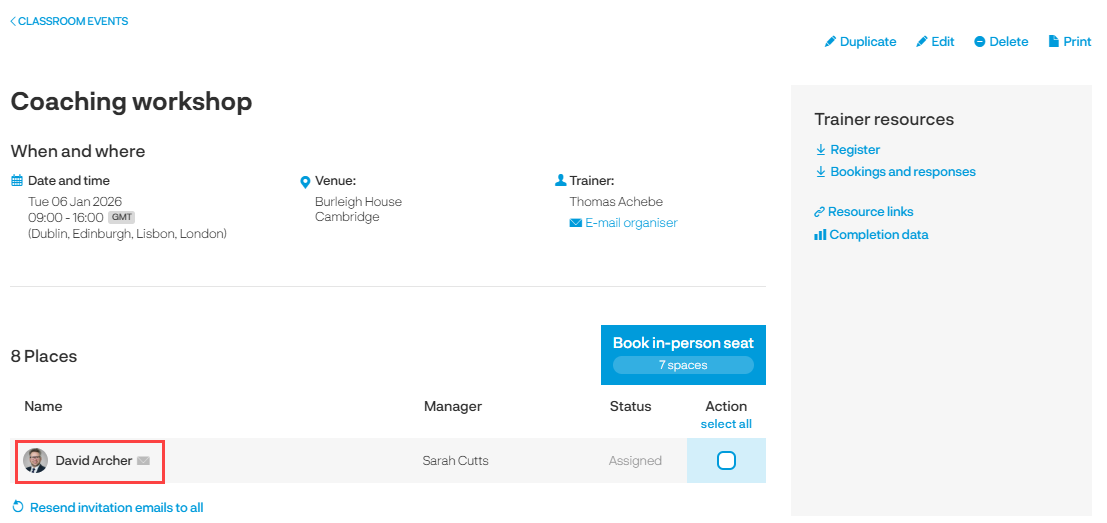
You will return back to the event page and see the delegate(s) are now on the list of delegates.
Can I add a delegate who does not have an open assignment to the course?
Yes you can but by adding them onto the event the learner will be assigned to the course meaning if it contains more than the Instructor-led module the learner will need to complete all modules to complete the course not just the event you are adding them to.
It’s therefore important to think about why they need to attend the event if they are not assigned to the course. Maybe they are in the wrong group and their profile needs to be updated so they are assigned to the course, maybe there are other learners who will need to complete the course and therefore adjusting the course assignments to include other groups would be the best course of action.
One of the main reasons why you might want to add a delegate that does not have an open assignment to the course is because they will be due for renewal soon, but they have not yet hit the renewal period.
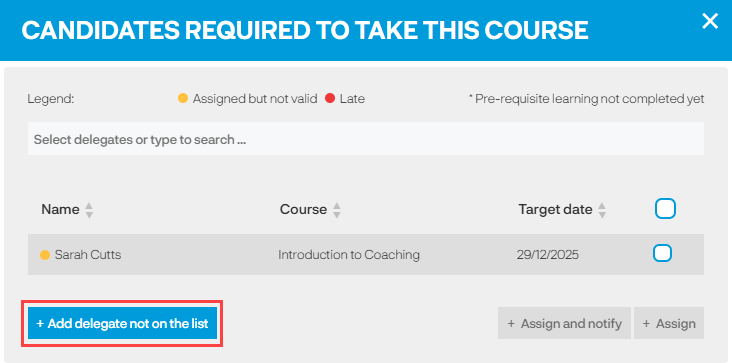
If you are happy the learner needs to complete the course then you can proceed to add the delegate onto the event. To do this click on the ‘Add delegate not on list’ button (if this button is not available it’s because you do not have this setting switched on).
Search for the learner you want to add. You will be provided with details of the impact of adding the delegate to the event for example that the course will be assigned to the learner and they will be required to complete all modules in the course.
If you happy with this, you can go ahead and add the delegate.
Some examples below:
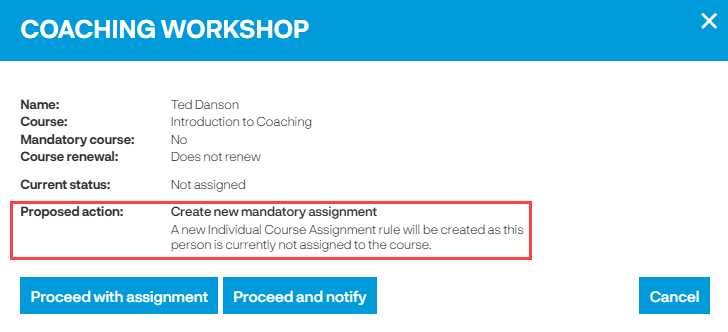
Ted is not currently assigned to the Introduction to Coaching course so by adding Ted to the Coaching Workshop a new individual course assignment rule will be created.
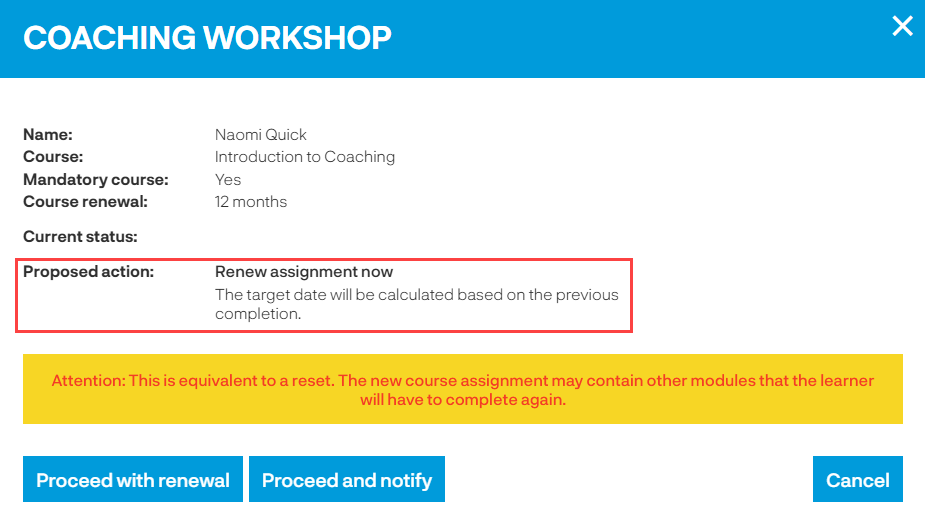
Naomi has a completion on the Introduction to Coaching course and by adding her to the event the full course will be assigned to her again. It's a 12 month renewal course therefore you might want Naomi to join the workshop a bit earlier than her renewal is due.
The key point when using the 'Delegates not on the list' button is you are not just adding them to the event you are assigning the full course to them.
Adding delegates to Independent events
Delegates can add themselves onto independent events however if you want to add them you can do this by clicking on the ‘Add delegate’ button on the event.
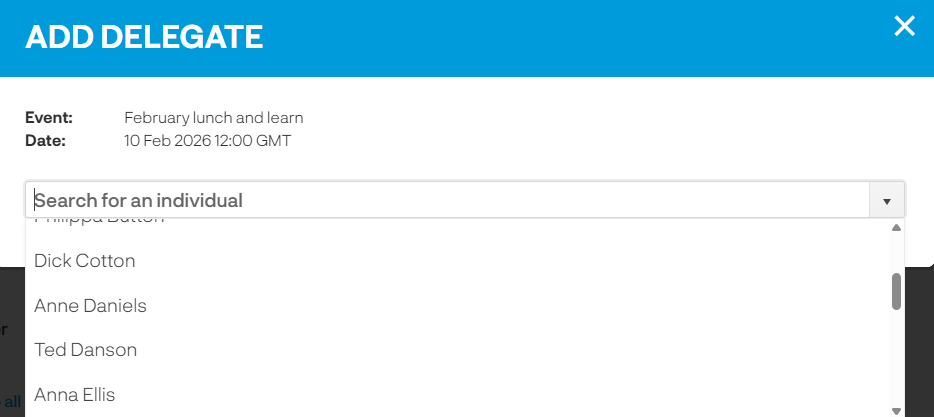
Search for the learner to add them to the event.
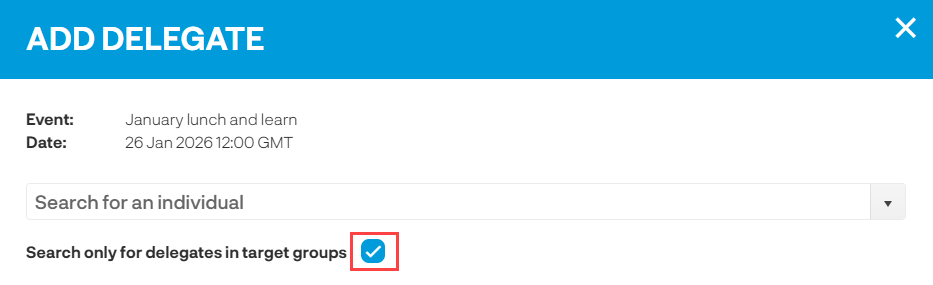
If you have made the event available to specific groups by default the only learners who are in the groups will appear in the list. If you want to include a learner who is not in the specified groups, then remove the tick and this will then load all learners into the list.
See also...