There are a couple of places you can find the date a user last logged in.
1) Head to the Admin area and click on Users:
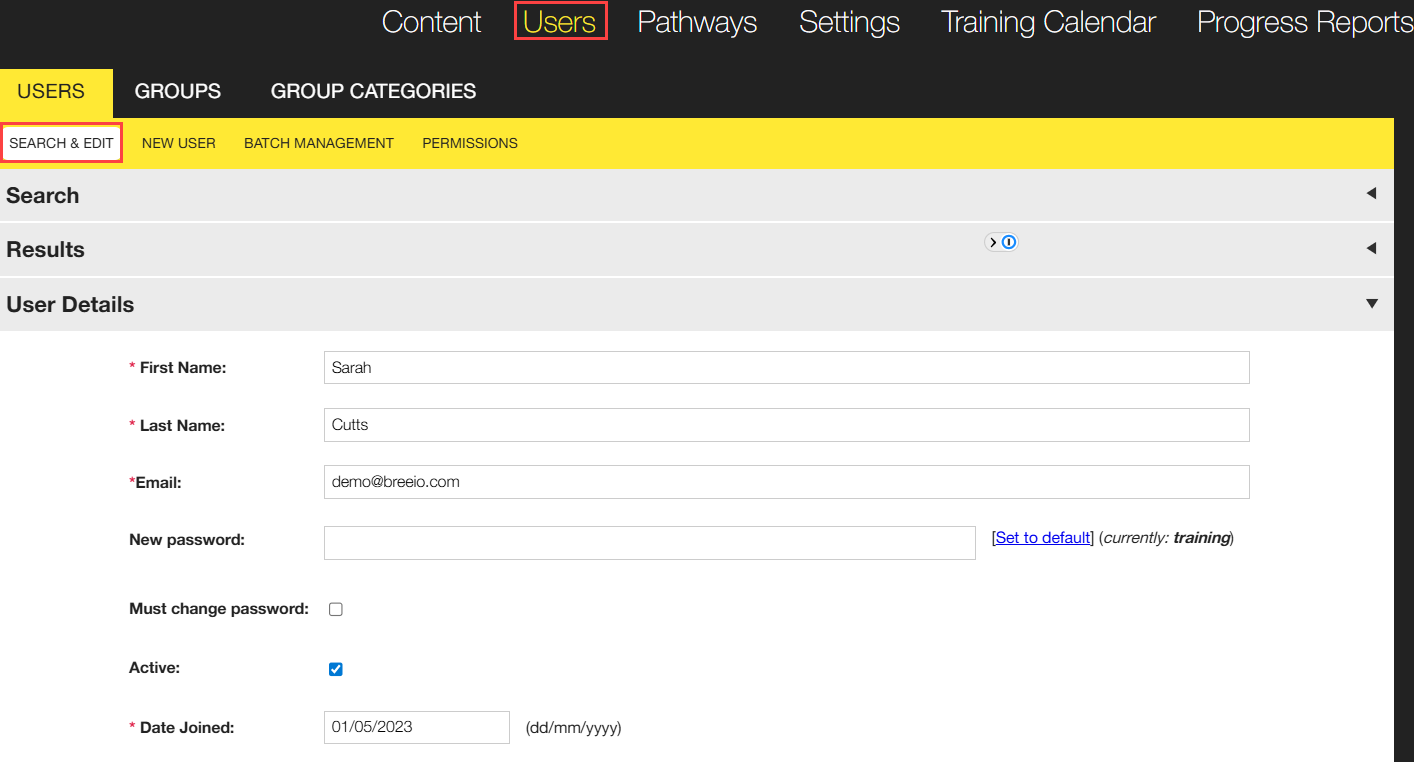
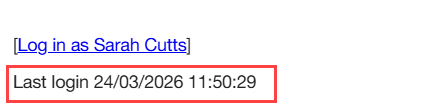
Search for the user and scroll down to the end of the profile page to find the information you need:
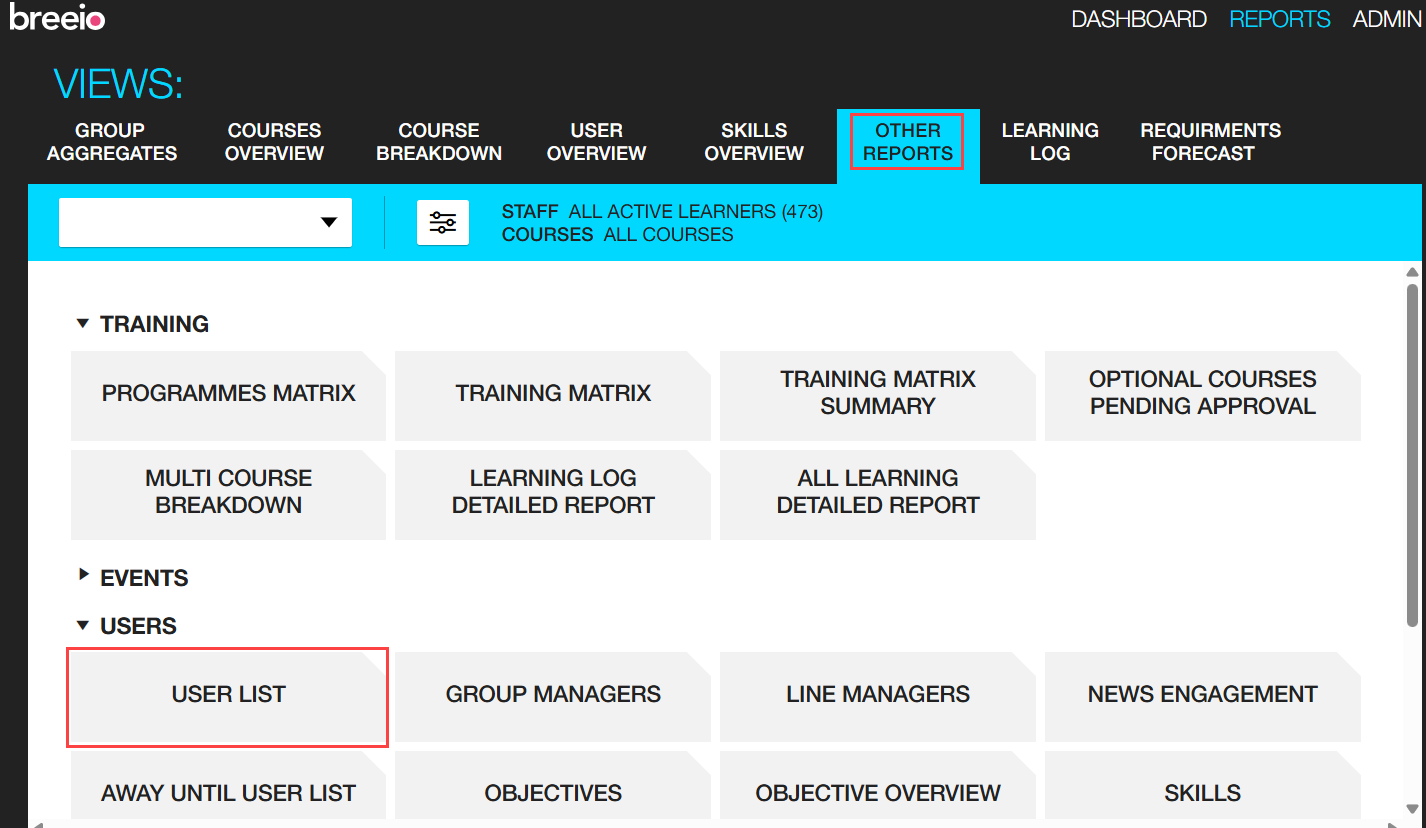
2) You can find the date a user last logged in the User List Report - find this in the Other Reports area in the Users section:
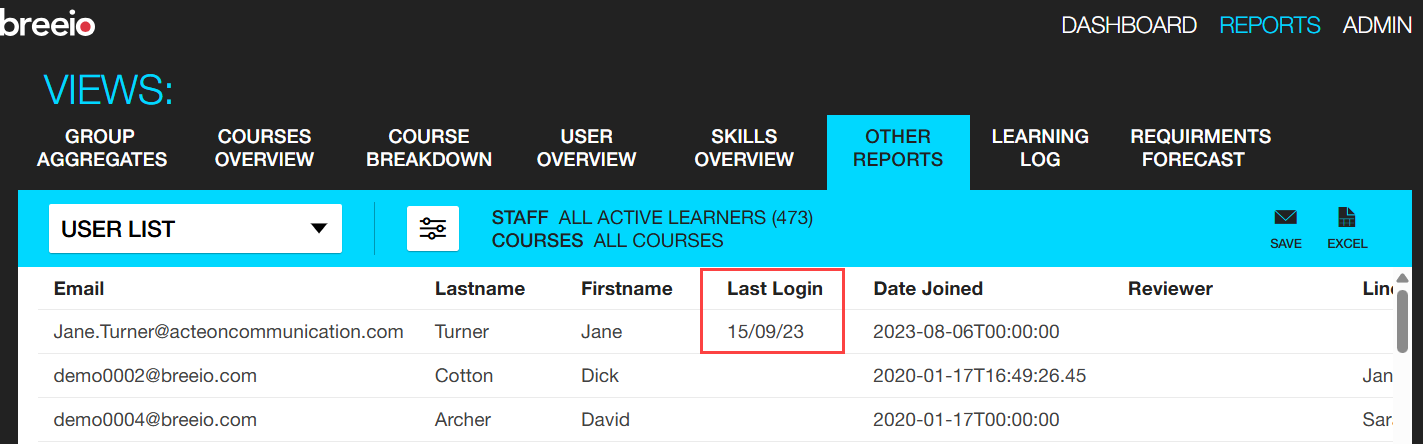
Find the user and the date will be in the Last Login column.
See also...