The Skills area of Breeio enables you to create a bespoke skills framework for your organisation, you can then allocate skills to course completions allowing learners to track and develop skills as they progress toward their goals. At a group or organisation level you can track skills and identify where you're on track or where you may have gaps.
Go to Content and Skills
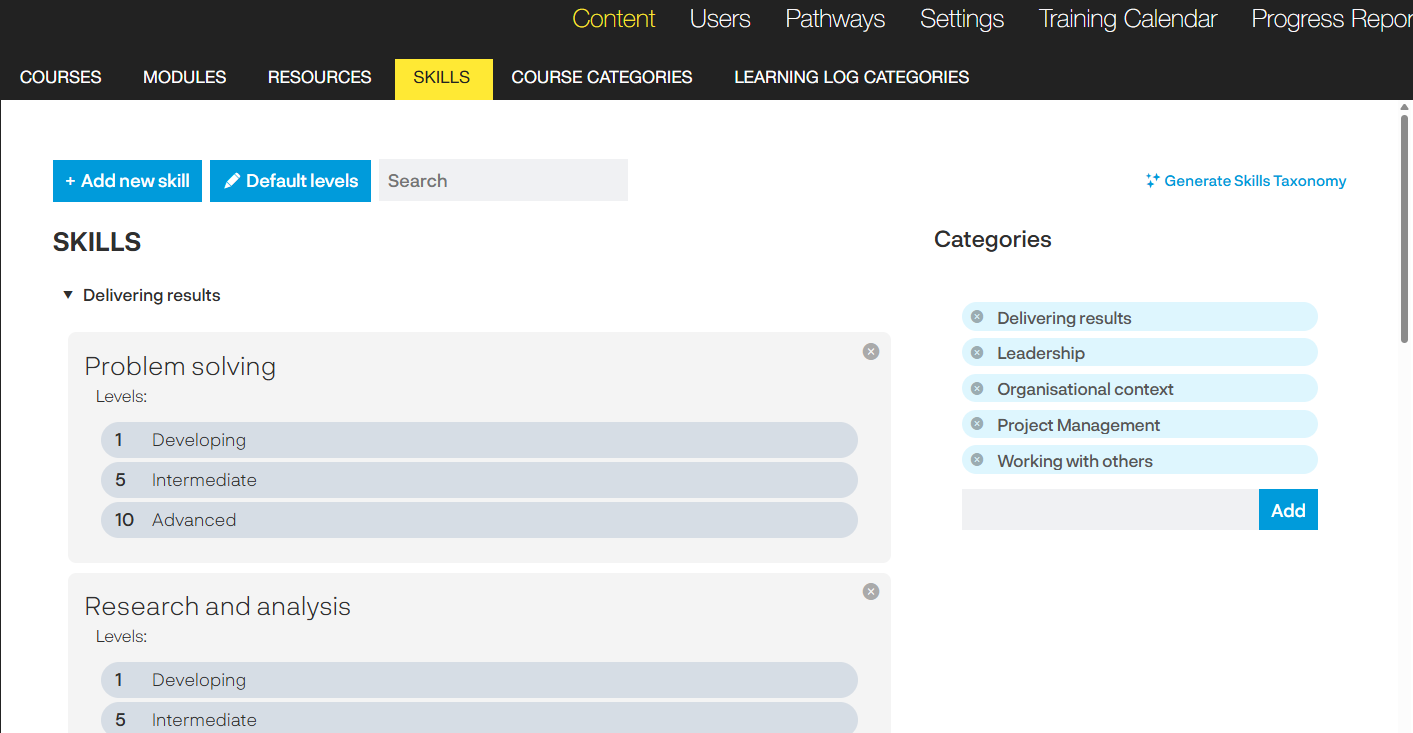
You can either build the framework manually or us our AI tool to generate a Skills Taxonomy.
Categories
When adding new skills you will select a category the skill will sit within. You can add, remove and edit categories.
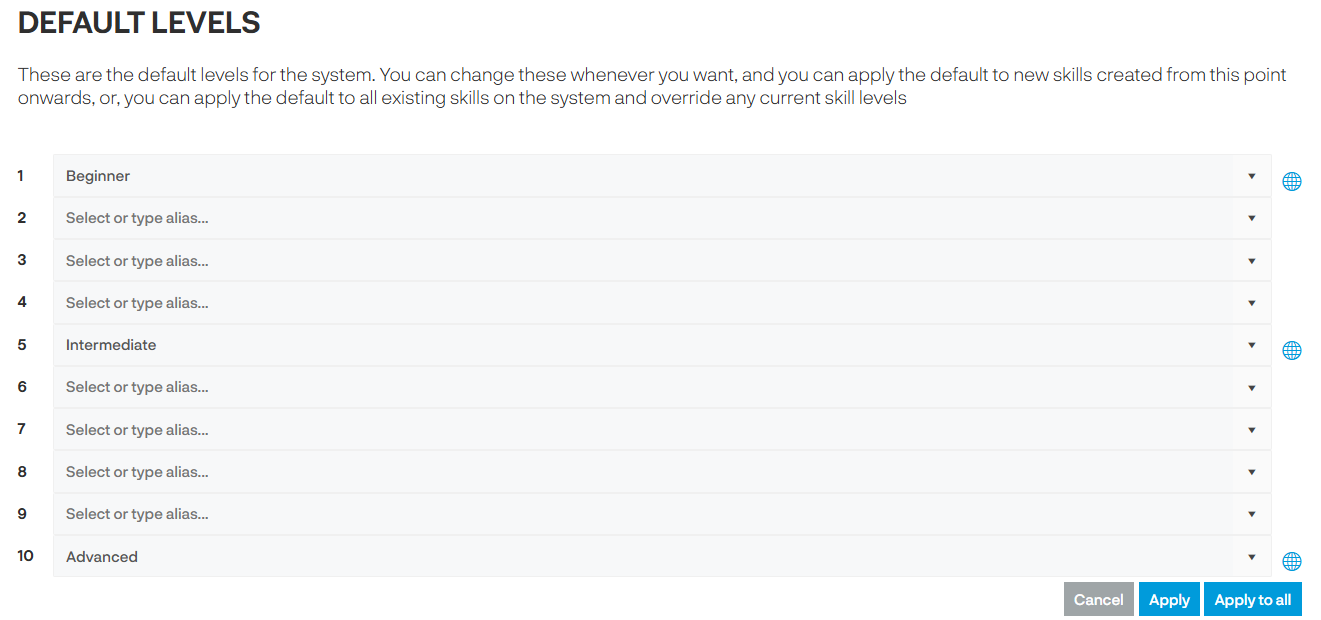
Default levels
These are the default levels for the system. You can change these whenever you want, and you can apply the default to new skills created from this point onwards, or, you can apply the default to all existing on the system and override any current skill levels.
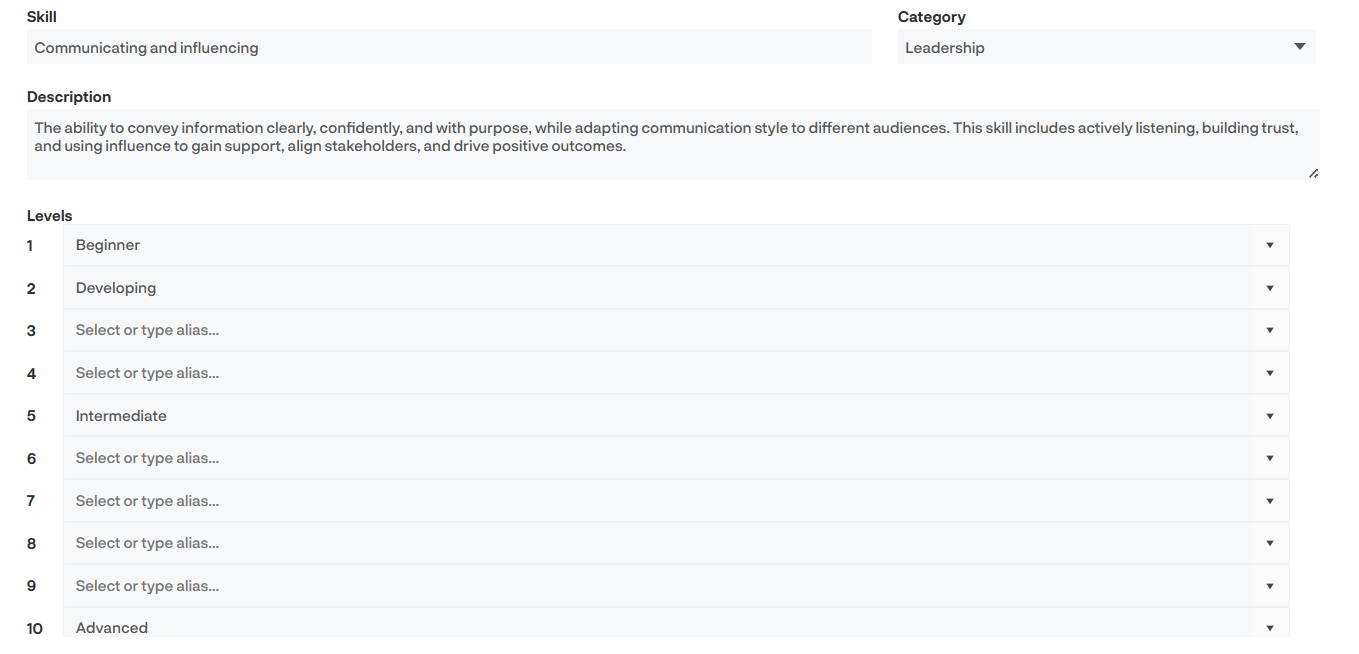
Add new skill
Give your skill a title, select the category and if you want to a description. The default levels will be listed and if you have different levels for this skills you can add them here - in the example below we have added a 'developing' level.
Generate skills taxonomy
This section helps you create a generic skills taxonomy for your Breeio platform. We have integrated AI technology to support you in building a skills framework that aligns with the roles in your system.
The Industry context can be edited and you provide any other additional information to help the AI produce the best skills taxonomy.
There are two options:
If there are no skills, the 'generate a new list' will be the only option available.
How do I add skills to courses?
Once you have added the skills into your framework you can then start to add the skills and the levels to your courses. To do this navigate to the course details area.
Skills can be added manually - use the drop down list to select a skill and click on 'Add'. You can more than more skill to a course.
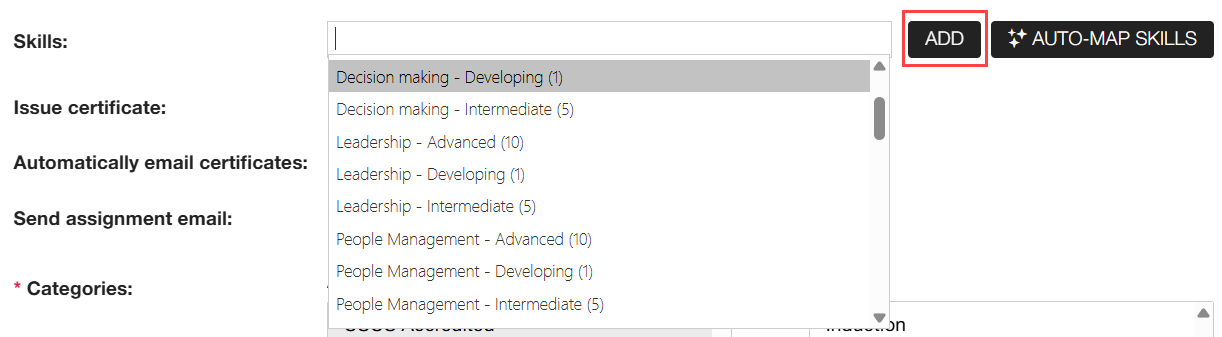
You can use our AI Auto-map skills tool instead. Simply click on the button and the tool will look at the course and the skill framework and provide a list of options. Click on the + icon if you want to add the skill(s).
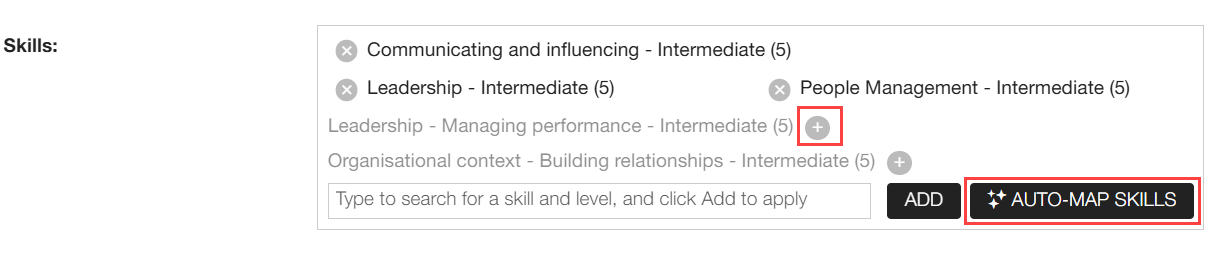
When a learner completes the course they will be awarded the skill and level.
How to track skills
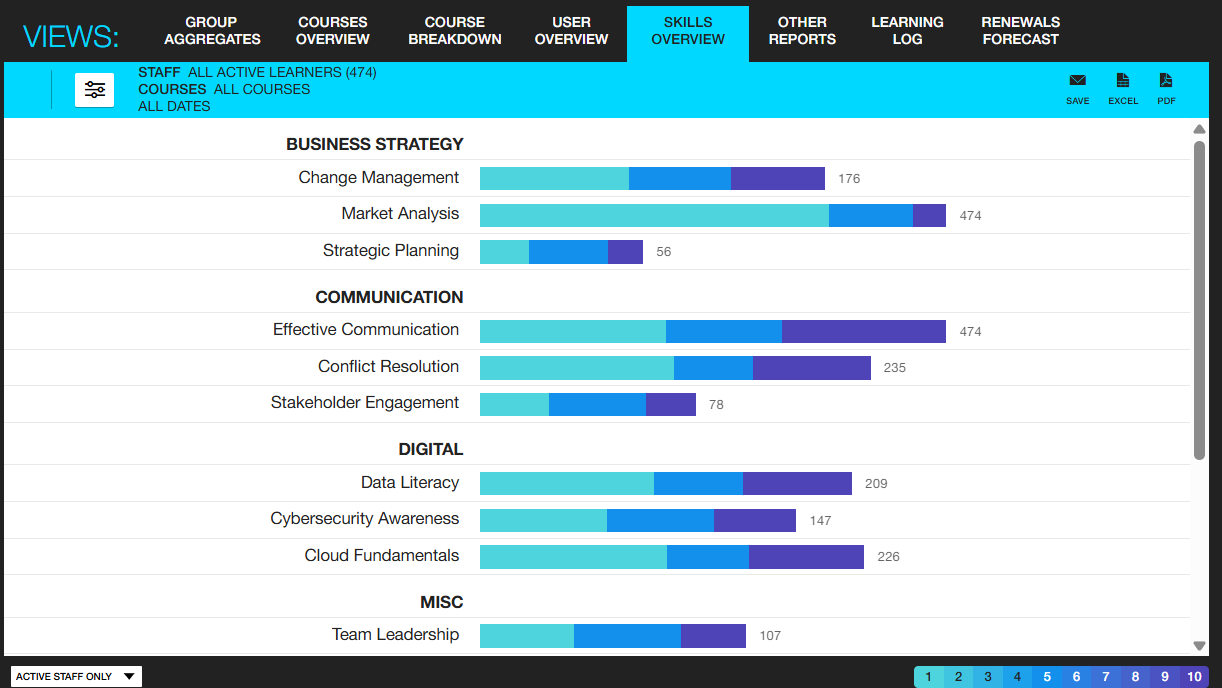
There is a Skills Overview report in the Reporting area. This report is built on a logarithmic scale; meaning the chart is informative and easy to interpret when the data spans a wide range or grows in a multiplicative way.
You can use the filters to look at a specific date range or specific groups of learners.
You can look at individual skills by going to the User Overview report and clicking on the Skills tab.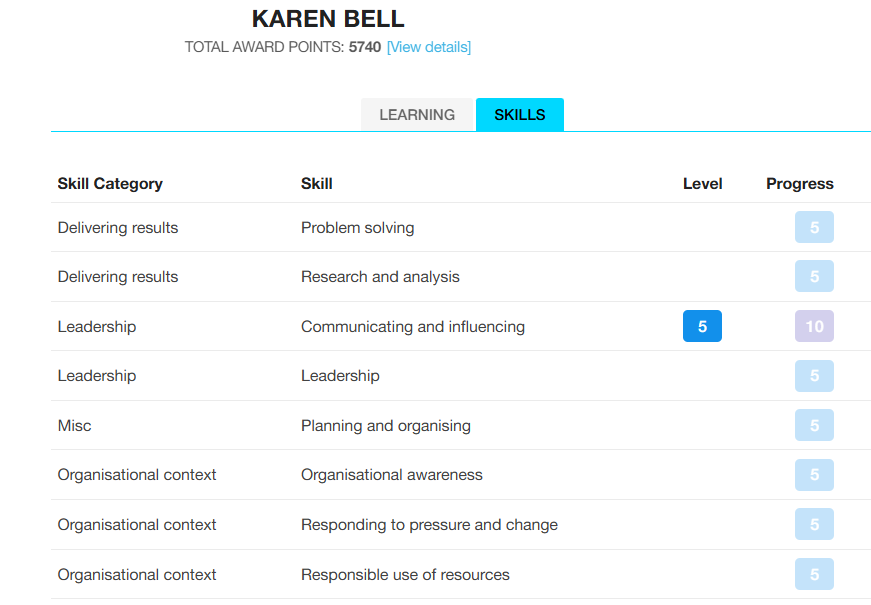
Level - indicates the highest level achieved.
Progress - indicates what levels the learner could achieve based on what they are assigned to (either course/objective) but have not yet achieved.
Line Managers can see their team members skills in the Mt Teams area and can download a Skills Report PDF.
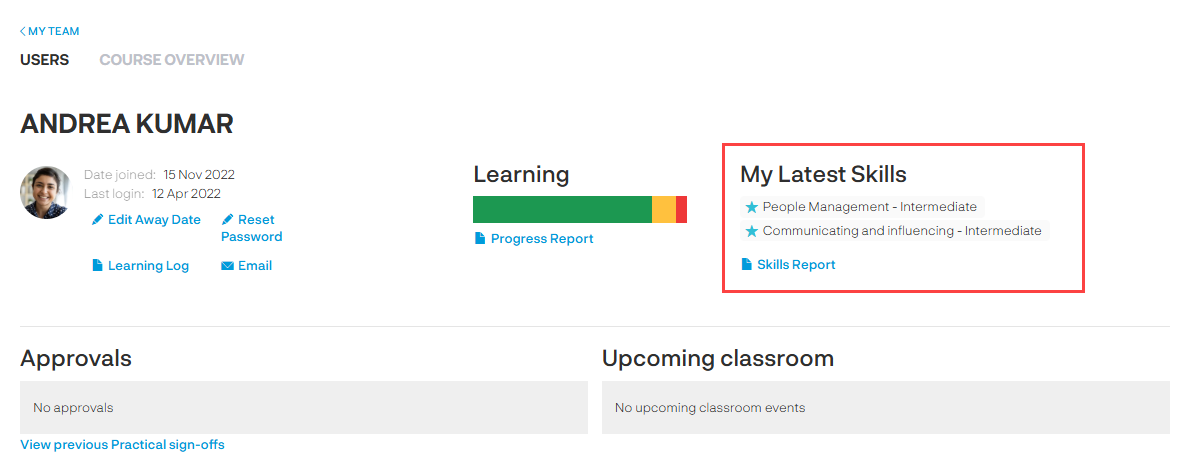
Can learners track their skill achievements?
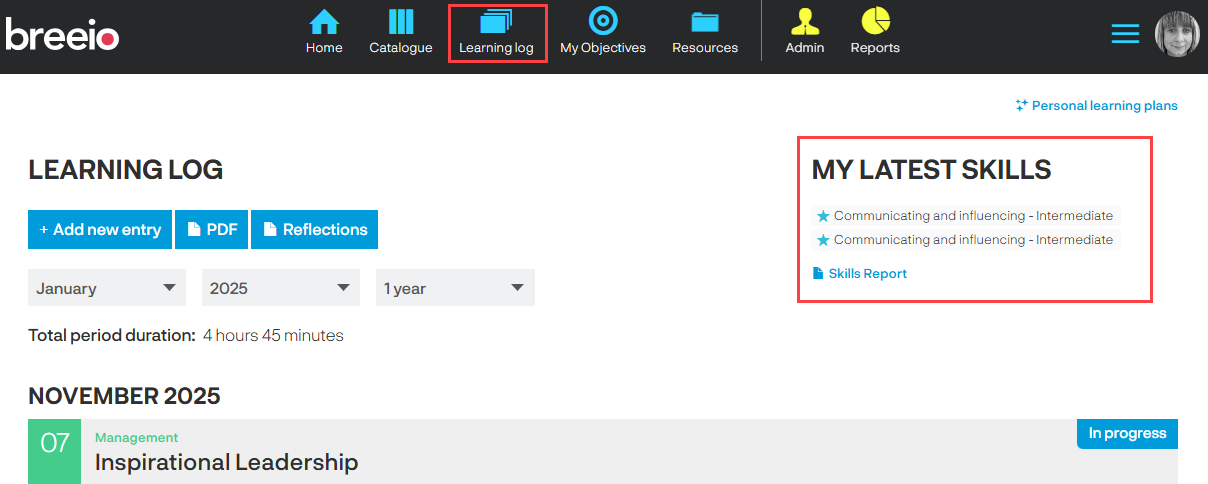
Yes, they can see their skills and download a Skills Report PDF in the Learning Log area.
See also...